Branded connection flow allows you to customize the data source connection screens with your own company’s branding. This is particularly useful for organizations that build their own products using Supermetrics technology and want to provide a seamless, white-labeled experience for their end users.
With branded connection flow, you can replace the Supermetrics branding with your company name, website, and support email that show in the connection flow. This helps build trust with your users by providing a consistent brand experience.
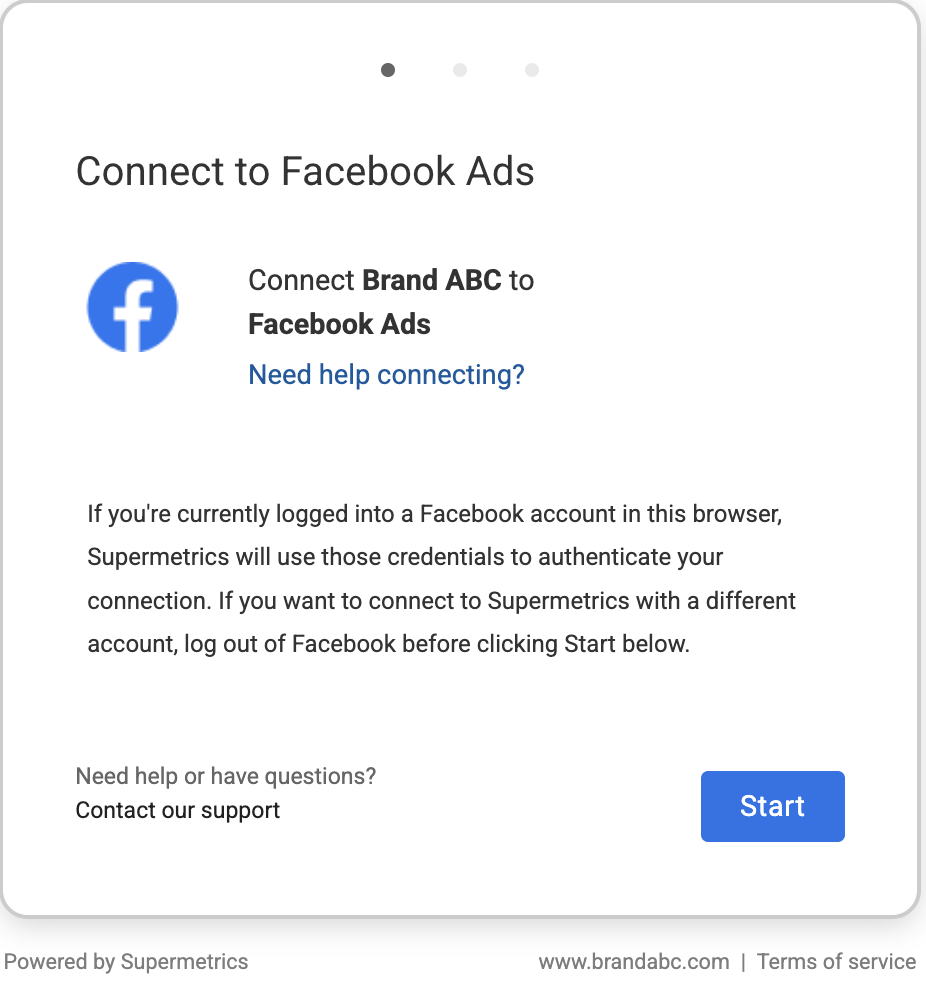
Key benefits of branded connection flow:
Professional branding: Replace the Supermetrics names with your own.
Enhanced trust: Provide your users with a familiar interface that includes your support contact information.
Seamless experience: Maintain your brand identity even when users are connecting their data sources.
How it works
Branded connection flow changes the initial screen your users see when they're asked to connect to a data source.
When this feature is active, you can configure the following items to match your brand:
Company name: Your organization's name will appear as the service requesting access.
Website: A link to your company's official website.
Support email: A direct contact email for your own support team so users know where to go for help.
Note that while the initial connection screen is fully customizable by our team, the subsequent screens are controlled by the data source providers (such as Facebook or Google). Those providers may still display "Supermetrics" as the underlying application during the final authorization step.
Get started with the branded connection flow
The branded connection flow feature is enabled by Supermetrics. If you're interested, follow these steps and share the necessary details:
Contact us: To use this feature, contact your Supermetrics account manager or our support team to discuss adding it to your subscription.
Share your branding details: Once the feature is part of your subscription, share the company name, website, and support email address you would like to display.
Activation: Our team will configure and activate your branding. Once active, the changes will appear instantly the next time a user uses a data source connection link.
If you need to update your branding information or disable the feature in the future, simply contact our support team for assistance.